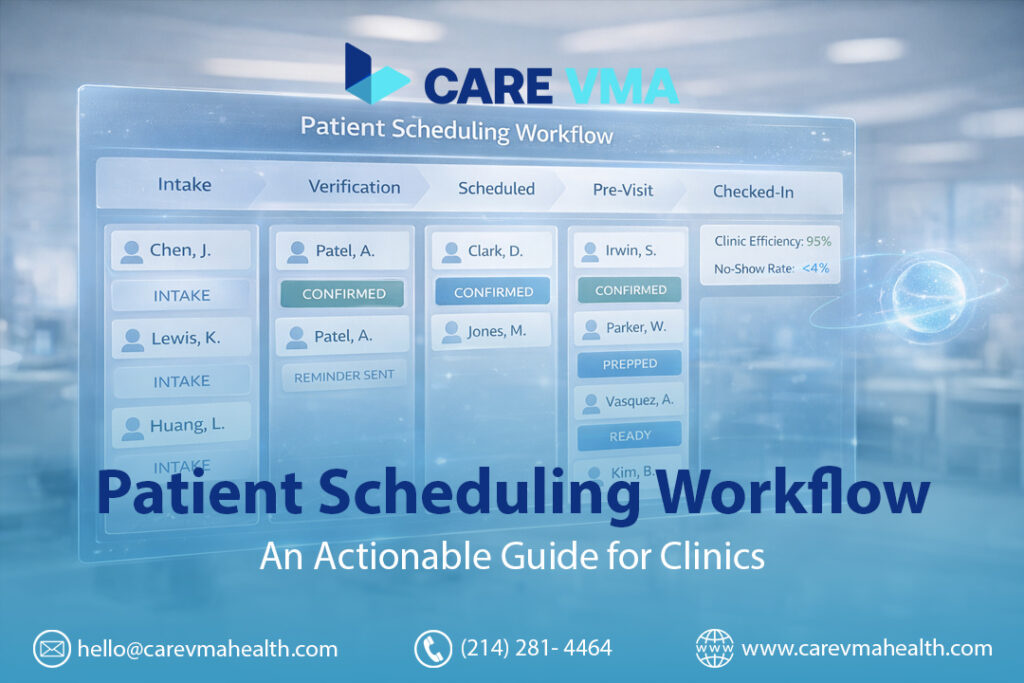
Is your front desk team constantly overwhelmed? The phone never stops ringing, staff are manually entering patient data into the EHR, and the end-of-day report is a sea of costly no-shows and last-minute cancellations. This isn’t just a stressful day; it’s a broken system that costs your clinic revenue and leads to staff burnout. Your scheduling process is either your clinic’s biggest bottleneck or its most powerful growth engine—this guide shows you how to build the latter.
A patient scheduling workflow is the 5-stage operational process your clinic uses to manage appointments, from initial patient contact to post-visit follow-up. A streamlined workflow moves beyond simple booking to include automated intake, real-time insurance verification, and strategic calendar management. Implementing an efficient, EHR-integrated workflow is critical for reducing staff burnout, cutting no-show rates by up to 40%, and improving overall clinic profitability.
The chaos of manual scheduling isn’t a permanent state of business. It’s a solvable operational problem.
The 5 Core Stages of a Modern Patient Scheduling Workflow
An effective workflow transforms scheduling from a series of disconnected tasks into a single, continuous patient journey. It anticipates needs, automates repetitive work, and ensures both patients and providers are fully prepared.
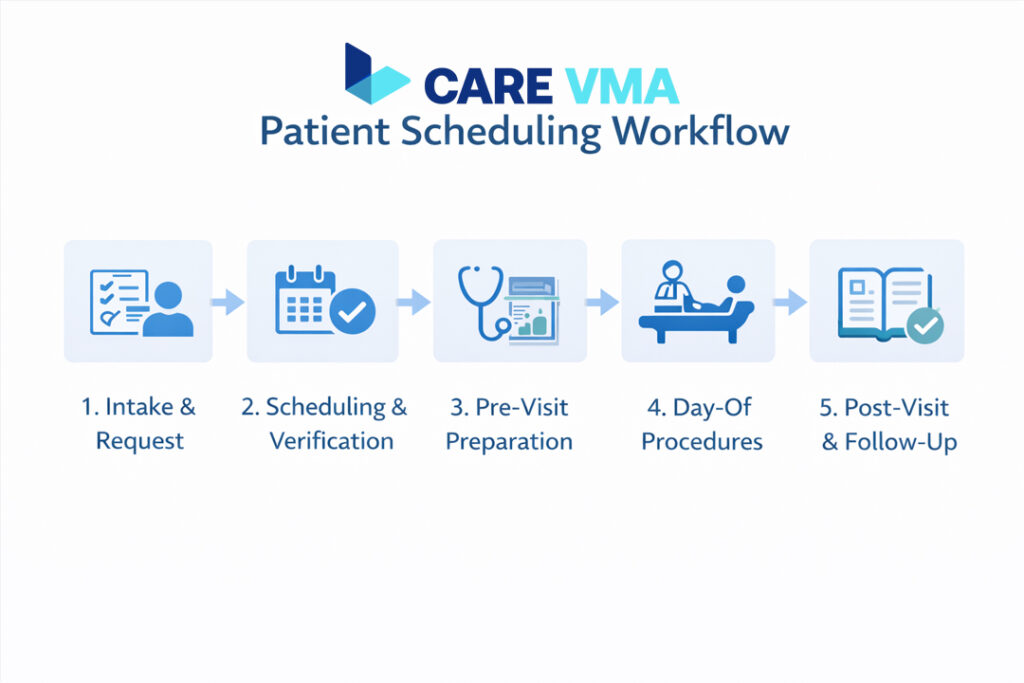
Stage 1: Intake & Request (The Digital Front Door)
This is the moment a patient decides they need care. How you handle this first step sets the tone for their entire experience.
- The Old Way: A 7-minute phone call where a staff member manually collects demographic and insurance information, often with background noise and interruptions. The patient can only call during business hours.
- The New Workflow: The process becomes asynchronous and patient-led. Digital intake forms are sent via SMS or email before a call is even needed, allowing patients to provide their information on their own time.
- VMA in Action: A Virtual Medical Receptionist offers 24/7 intake options via a web portal, secure SMS link, or an AI-powered phone agent, capturing appointment requests even after hours.
- Actionable Step: Implement a simple web form or QR code in your clinic that directs patients to a digital intake page. Capture basic demographics and insurance card photos upfront.
- Operational Impact: Reduces phone time per appointment by over 80% and nearly eliminates data entry errors.
Stage 2: Scheduling, Triage & Verification (The Logic Center)
This is where most practices struggle. It’s not just about finding an open slot; it’s about finding the right slot, with the right provider, and ensuring the visit will be paid for.
- Triage:
- The Old Way: An untrained front desk member guesses the appointment length, leading to schedule overruns or underutilized provider time.
- VMA in Action: A Virtual Medical Assistant uses rule-based logic to automatically suggest the correct visit type and duration based on the intake reason (e.g., “annual physical” = 30-min slot with Dr. Smith). For complex cases, the VMA flags the request for clinical review.
- Actionable Step: Create a simple “Red/Yellow/Green” triage grid for your staff. Red symptoms (e.g., chest pain) are redirected to 911, Yellow (e.g., high fever) get a same-day slot, and Green (e.g., routine follow-up) are scheduled normally.
- Insurance Verification:
- The Old Way: Staff manually check an insurance portal a day before the visit, discovering eligibility issues when it’s too late to fix them.
- VMA in Action: Automated Real-Time Eligibility (RTE) checks are performed the moment a patient submits their information. The system is deeply integrated with your EHR, flagging any coverage gaps or prior authorization requirements for a specialist to handle immediately.
- Operational Impact: Prevents nearly all last-minute cancellations due to insurance issues and avoids billing surprises for the patient.
Stage 3: Pre-Visit Preparation (Automating Patient Readiness)
An unprepared patient leads to delays, rescheduling, and wasted provider time. Automation is the key to ensuring everyone is ready.
- The Old Way: Staff make dozens of manual reminder calls, leaving voicemails that are rarely returned.
- The New Workflow:
- VMA in Action: A VMA system sends a layered series of automated reminders (e.g., 72-hour email, 24-hour SMS) that include “Confirm/Reschedule” links. It also automatically sends dynamic prep instructions based on the appointment type (e.g., “fast for 12 hours” for a lab visit).
- Operational Storytelling: Imagine a patient receives an SMS: “Hi Sarah, this is a reminder of your appointment with Dr. Evans tomorrow at 10 AM. Please reply C to confirm or R to reschedule. Remember to bring your current medication list. Thank you!”
- Operational Impact: Consistent, multi-channel reminders can reduce the no-show rate by up to 40%.
Stage 4: Day-Of Procedures (A Zero-Wait Welcome)
The day of the appointment should be calm and efficient, not a bottleneck at the front desk.
- The Old Way: Long check-in lines, paper clipboards, and staff trying to manage arrivals while the phone rings off the hook.
- The New Workflow: Patients can check in from their car via a mobile link. Most importantly, the schedule can now self-heal.
- VMA in Action (Smart Waitlist): A patient cancels their 10:00 AM appointment at 9:15 AM. The VMA system automatically texts the top 5 patients on the waitlist. The first to claim the slot gets it, and the EHR calendar is updated instantly without a single manual phone call.
- Operational Impact: Fills over 85% of last-minute cancellations, protecting thousands in weekly revenue and maximizing provider utilization.
Stage 5: Post-Visit & Follow-Up (Closing the Loop)
The workflow doesn’t end when the patient leaves. Securing the next appointment is crucial for continuity of care and practice revenue.
- The Old Way: The patient is told to “call us in six months” to book their follow-up, a step they often forget.
- The New Workflow:
- VMA in Action: As the provider completes the patient’s note in the EHR, a system trigger prompts a Virtual Patient Care Coordinator to schedule the required 6-month follow-up. The VMA can then send the patient a secure link to book their next visit and a satisfaction survey.
- Operational Impact: Increases patient retention and recall rates, ensuring future revenue and better long-term health outcomes.
Is your administrative staff spending more than 5 minutes scheduling each new appointment? See how Care VMA automates the entire intake and reminder process.
Choosing Your Scheduling Model: The “Logic” Behind Your Calendar
Your calendar shouldn’t be a blank slate; it must be a strategic tool that reflects how your clinic operates. Integrating one of these models into your workflow provides the structure needed for peak efficiency.
| Scheduling Model | What It Is | Best For |
|---|---|---|
| Wave & Modified Wave | Scheduling 3-4 patients at the top of the hour to be seen in order of arrival. | High-volume practices where visit lengths vary (e.g., Urgent Care, Pediatrics). |
| Cluster/Block | Grouping similar appointment types into dedicated time blocks. | Specialists needing specific rooms or equipment (e.g., Orthopedics, OB/GYN). |
| Open Access (Same-Day) | Keeping 20-40% of slots open for same-day bookings to improve patient access. | Primary care practices aiming to reduce backlogs and non-urgent ER visits. |
Model 1: Wave & Modified Wave Scheduling
This model is designed to absorb the impact of no-shows and late arrivals. By scheduling a “wave” of patients at 9:00 AM, the provider can begin with the first to arrive and move to the next, ensuring their time is never idle. A modified wave might schedule two patients at 9:00 AM and two more at 9:30 AM to create a more even flow.
Model 2: Cluster/Block Scheduling
This is an efficiency-first model. By blocking all “new patient” visits on Monday mornings, for instance, your clinical and administrative teams can prepare for them in a batch. This maximizes the use of specialized equipment and reduces the mental “task-switching” for providers, allowing them to stay focused.
Model 3: Open Access (Same-Day) Scheduling
This model is built around patient access and satisfaction. By leaving a portion of the schedule open, you empower patients to get care when they feel they need it most. This drastically reduces the no-show rate for those slots (it’s often near-zero) and builds immense patient loyalty.
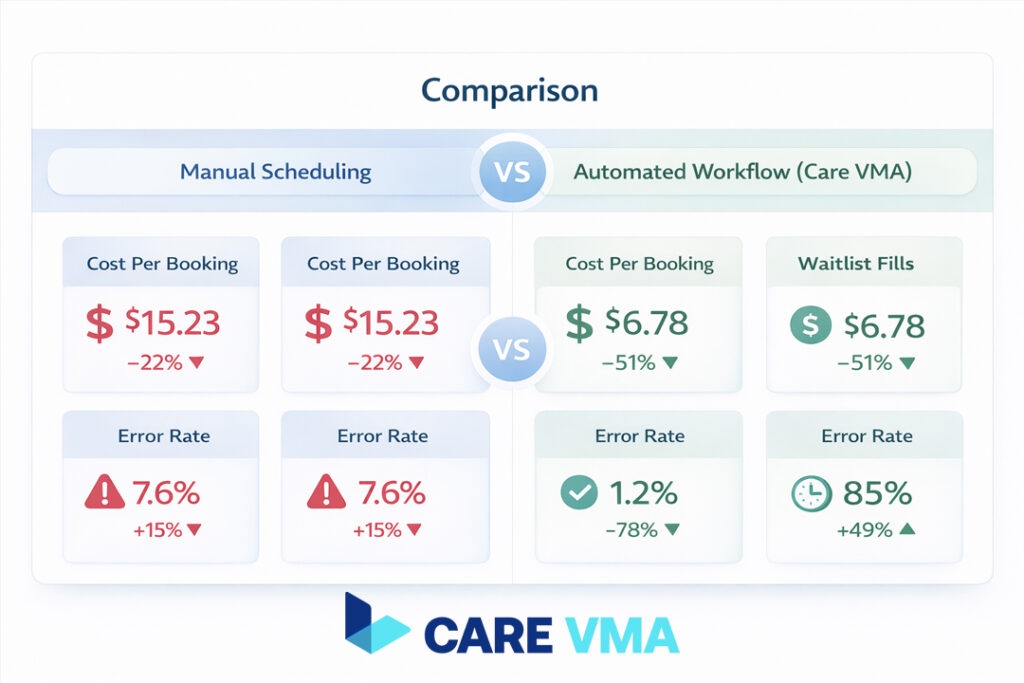
Manual vs Automated Workflow: A Head-to-Head Comparison
The difference between a manual workflow and one powered by automation and virtual medical assistant services is stark. It’s the difference between constant firefighting and calm, proactive management.
| Feature | Manual Scheduling (Your Staff) | Automated Workflow (Care VMA) |
|---|---|---|
| Availability | 9 AM – 5 PM | 24/7/365 |
| Cost Per Booking | $8+ (Staff time) | ~$2-4 (System cost) |
| Error Rate | High (Double-booking, data entry errors) | Near-Zero (Direct EHR Sync) |
| Waitlist Fills | 10-15 min of calls per slot | <60 seconds, fully automated |
| Staff Focus | Reactive Firefighting | Proactive Patient Care |
How to Measure Success: The 3 KPIs That Matter
You can’t improve what you don’t measure. To confirm your new workflow is delivering results, track these three operational KPIs. They provide a clear, data-driven view of your clinic’s health.
1. No-Show Rate
This is the most direct measure of your pre-visit preparation process. It’s calculated as (Missed Appointments / Total Appointments).
- The Goal: Less than 5%. If your rate is higher, your reminder system or cancellation policy needs immediate attention.
2. Third Next Available Appointment (TNAA)
TNAA is the gold standard for measuring patient access. It measures the number of days a patient must wait to get the third-next available routine appointment. Why the third? It avoids being skewed by a single, lucky cancellation.
- The Goal: Varies by specialty, but consistently tracking this metric tells you if your patient backlog is growing or shrinking.
3. Provider Capacity Utilization
This KPI measures how much of your providers’ available time is spent on revenue-generating visits. It’s calculated as (Total Time Spent with Patients / Total Time Available).
- The Goal: Greater than 85%. A low rate indicates your schedule is filled with gaps from no-shows or inefficient booking, leaving money on the table.
Your Action Plan: Implementing a VMA-Powered Workflow in 4 Steps
Ready to move from theory to reality? Transitioning to an automated workflow doesn’t require a complete overhaul overnight. Follow this practical, step-by-step implementation plan.
- Step 1: Map Your Current Process. For one day, track every step your team takes to schedule one patient. Identify the single biggest time-waster. Is it intake calls? Manual reminders? Verifying insurance?
- Step 2: Automate the Bottleneck First. Implement a tool to solve that one problem. For most clinics, the highest-impact starting point is automated SMS/email reminders, as it immediately reduces no-shows and frees up phone lines.
- Step 3: Integrate with Your EHR. Your Electronic Health Record is your source of truth. Any automated tool you adopt must have robust EHR/EMR management capabilities. This is non-negotiable for a zero-friction, HIPAA-compliant workflow.
- Step 4: Empower Your Team. Train your staff to manage the new automated system, not perform the manual work. Their job evolves from reactive task-doers to proactive exception-handlers, focused on the high-touch patient interactions that automation can’t replace.
The Future is Now: Let Your Clinic Run Itself
An optimized patient scheduling workflow isn’t about asking your team to work harder—it’s about building a smarter, more resilient system. It creates a clinic environment that moves from chaos to calm.
- From an overwhelmed front desk to an empowered, patient-focused team.
- From lost revenue due to no-shows to a predictable, optimized schedule.
- From patient frustration to a seamless, modern healthcare experience.
An efficient workflow is the backbone of a successful practice. Care VMA Health provides the operational support and automation tools to make this a reality for your clinic.
Ready to see how a Virtual Medical Assistant can transform your patient scheduling? Schedule a no-obligation workflow consultation with our healthcare operations experts today.