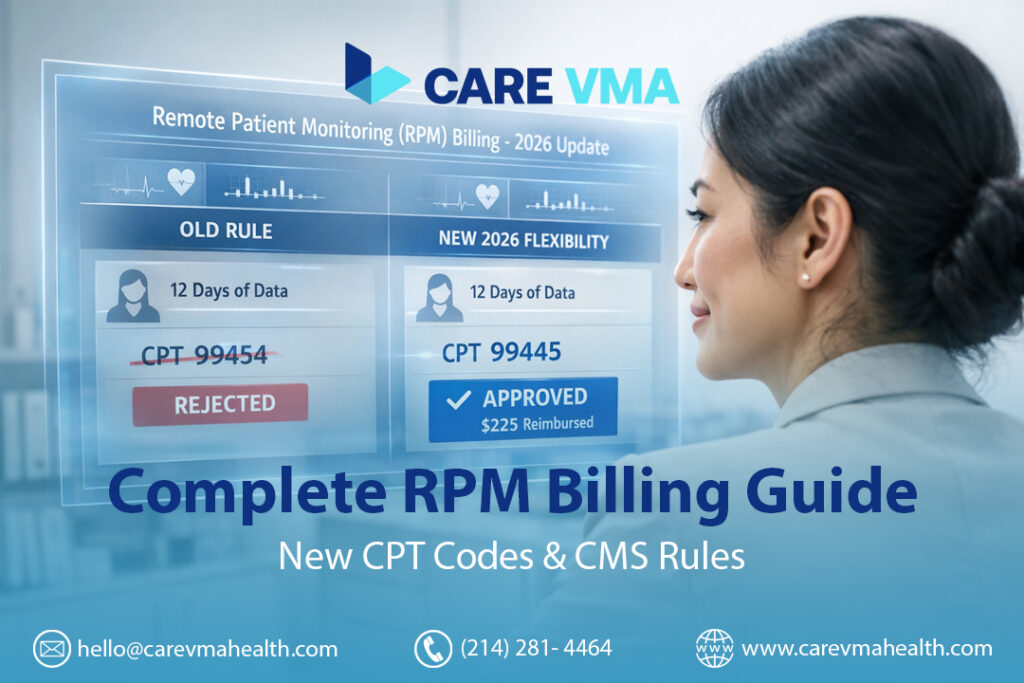
For years, practice managers have faced the same frustration with Remote Patient Monitoring (RPM): a compliant, engaged patient provides 14 or 15 days of data, but because they miss the rigid 16-day threshold, the entire month’s effort results in zero reimbursement. This administrative headache has led to significant lost revenue and questioned the financial viability of many RPM programs.
The good news? The 2026 CMS updates finally solve it.
The 2026 RPM (Remote Patient Monitoring) billing codes introduce crucial changes by CMS, primarily adding CPT codes 99445 and 99470. These “short-duration” codes solve the restrictive 16-day rule, allowing practices to bill for monitoring periods as short as 2 days and for as little as 10 minutes of management time. This guide provides an operational workflow for implementing these new codes to ensure compliance and maximize reimbursement.
At-a-Glance: 2026 RPM CPT Codes
| Category | CPT Code | What It’s For | Key 2026 Requirement |
|---|---|---|---|
| Setup | 99453 | Onboarding & Patient Education | Min. 2 Days of Data |
| Device Supply | 99454 | Standard Monitoring (Chronic) | 16+ Days of Data |
| Device Supply | 99445 (New) | Short-Term Monitoring (Acute) | 2-15 Days of Data |
| Management | 99457 | Standard Management | 20+ Minutes/Month |
| Management | 99470 (New) | Light-Touch Management | 10-19 Minutes/Month |
| Management | 99458 | Additional Time (Add-On) | Each Additional 20 Min |
The 2026 Revolution: Solving Your Biggest Billing Headaches
The upcoming changes aren’t just minor updates; they represent a fundamental shift in how RPM services are valued and reimbursed. They directly address the most common operational roadblocks that have limited the scalability and profitability of RPM for many practices.
The Game Changer: How 2026 Codes Eliminate the 16-Day Billing Hurdle
The single greatest source of lost RPM revenue has been the “all-or-nothing” 16-day rule for CPT 99454. You could have a post-operative patient diligently monitoring their recovery, but if the monitoring period was only two weeks, you couldn’t bill for the device supply.
This is where the new codes create a massive opportunity.
Operational Storytelling: Before vs After 2026
- Before 2026: A patient undergoes knee replacement surgery. Your practice provides them with a pulse oximeter and activity tracker for 12 days post-discharge. They transmit data daily. At the end of the month, your billing team reviews the data. Since the patient provided fewer than 16 days of data, you cannot bill CPT 99454. Revenue Captured: $0.
- After 2026: The same post-op patient is monitored for 12 days. They transmit data daily. At the end of the billing period, your team uses the new CPT 99445 for short-duration device supply (2-15 days). Revenue Captured: ~$45-55 (estimated).
This change makes short-term, acute care monitoring not only clinically valuable but also financially sustainable.
Is Your Practice Leaving Money on the Table? Billing for “Light-Touch” Patients
What about those stable, chronic care patients who are doing well? Your clinical staff might spend 10-15 minutes a month reviewing their data, confirming their stability, and making a quick check-in call. Previously, this time was unbillable because it didn’t meet the 20-minute threshold for CPT 99457.
The new CPT 99470 directly solves this. It allows you to bill for 10-19 minutes of care management time, finally capturing reimbursement for the essential “light-touch” oversight that keeps stable patients healthy.
Our Virtual Medical Assistants automatically flag patients who hit the 10-minute mark for management time but haven’t yet reached 20. This simple alert in the E/M system ensures your practice never misses a CPT 99470 billing opportunity at the end of the month.
The Operational Playbook: Workflows for Each Code
Understanding the codes is one thing; implementing a compliant and efficient billing workflow is another. This is where most practices struggle. Here’s a step-by-step operational breakdown.
Step 1: Patient Setup & Device Supply (CPT 99453, 99454 & 99445)
This stage covers the initial patient interaction and the logistics of providing the monitoring device.
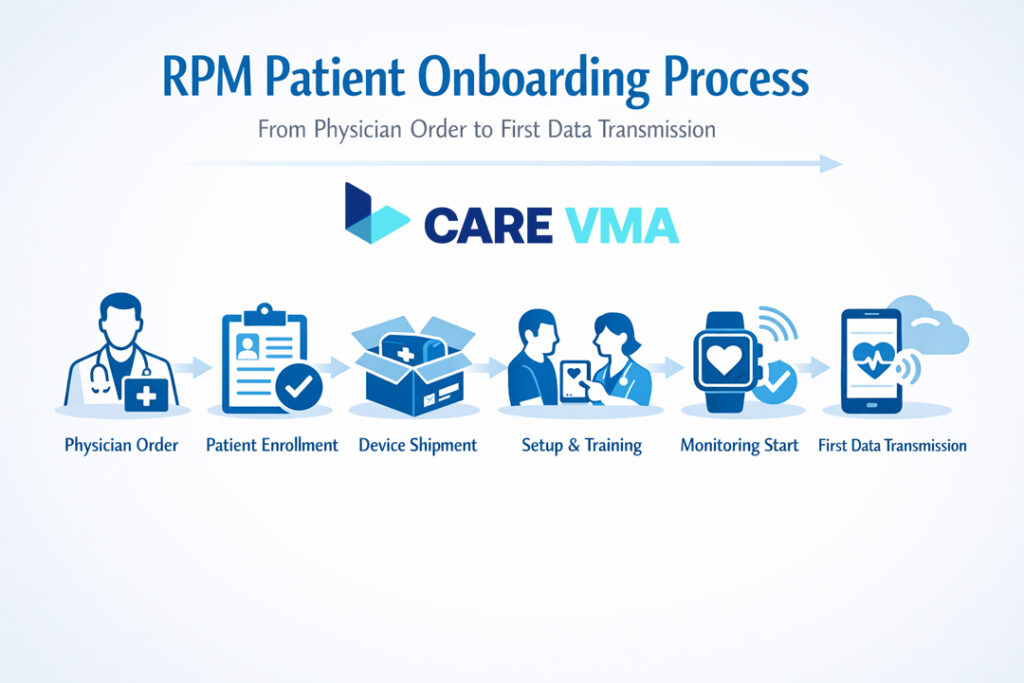
The Onboarding Workflow (CPT 99453)
CPT 99453 covers patient setup and education. A significant update for 2026 is that this code can now be billed as long as the patient transmits at least 2 days of data, a relaxation from the previous 16-day requirement.
Compliant Onboarding Checklist:
- [ ] Obtain and document patient consent (verbal or written) for the RPM service in their chart.
- [ ] The service must be ordered by a physician or other qualified healthcare professional (QHCP).
- [ ] Provide the patient with the medical device (e.g., blood pressure cuff, weight scale).
- [ ] Educate the patient on how to use the device and the importance of daily readings.
- [ ] Confirm data is transmitting automatically from the device to your platform. Manual self-reported data is not billable under these codes.
The Billing Decision: CPT 99454 vs 99445?
This decision is made at the end of the 30-day billing period for the device. It’s a simple, data-driven choice.
Billing Decision Tree:
- Question: How many days did the patient transmit at least one reading in the 30-day period?
- If > 15 days: Bill CPT 99454 for standard device supply.
- If 2-15 days: Bill CPT 99445 for short-duration device supply.
- If < 2 days: No device supply code can be billed for that period.
Compliance Alert: You cannot bill 99454 and 99445 for the same patient in the same 30-day period. Your choice depends on the final count of data transmission days. An effective RPM workflow for clinics relies on automated tracking to prevent these errors.
Step 2: Care Management & Time Tracking (CPT 99470, 99457 & 99458)
This is the most admin-intensive part of RPM, but it’s also where you can deliver the most clinical value—and where a Virtual Medical Assistant can transform your efficiency.
Capturing Every Minute: The VMA-Assisted Time Logging Workflow
“Management time” is more than just phone calls. It includes all time spent by clinical staff on:
- Reviewing and analyzing patient data and alerts.
- Updating the patient’s care plan.
- Communicating with the patient or their caregivers (the required “interactive communication”).
- Documenting all actions in the EHR.
Manually tracking this is a nightmare. This is how a VMA-powered workflow operates.
Operational Storytelling: A VMA’s Daily RPM Tasks A Virtual Medical Assistant logs into your EHR and our platform. Their dashboard shows all RPM patients.
- 8:05 AM: Reviews alerts for 15 patients with stable readings. (6 minutes logged)
- 8:11 AM: Sees an alert for Patient A’s high blood pressure readings for two consecutive days.
- 8:12 AM: Calls Patient A to discuss the readings, ask about symptoms, and review medication adherence. (8-minute call)
- 8:20 AM: Documents the call, the patient’s status, and flags the chart for physician review in the EHR. (3 minutes logged)
- Total Time for Patient A: 17 minutes. At the end of the month, the system totals this time. If no further time is spent, the VMA flags Patient A as eligible for CPT 99470.
When to Bill 99457 and Add 99458
The time-based management codes operate on a tiered, mutually exclusive basis per calendar month.
- If total time is 10-19 minutes, you bill CPT 99470.
- If total time reaches 20 minutes, you bill CPT 99457 instead of 99470.
- For every additional 20-minute increment beyond the first, you add CPT 99458.
Example: A patient with CHF is unstable. Over the month, your clinical staff (or VMA) spends 45 minutes managing their care through data review and multiple calls.
- The first 20 minutes qualify for CPT 99457.
- The next 20 minutes (taking the total to 40) qualify for one unit of CPT 99458.
- The remaining 5 minutes do not meet the threshold for another unit of 99458.
- Total Billing: 99457 + 99458.
See how Care VMA’s platform automates time-tracking and removes the administrative guesswork from RPM billing. By leveraging a medical billing virtual assistant, you ensure every billable minute is captured accurately and compliantly. Request a Workflow Demo
Advanced Topics & Compliance
Mastering the basics is essential, but a few advanced topics can further optimize your program and ensure it’s audit-proof.
The “Forgotten” Code: When to Use CPT 99091
CPT 99091 is an older code that is sometimes overlooked. It covers the collection and interpretation of patient data by a physician or QHCP, requiring at least 30 minutes of their time in a calendar month.
Key Difference from 99457:
- Who: 99091 must be performed by the billing physician/QHCP. It cannot be done by clinical staff.
- Interaction: 99091 does not require a live interactive call with the patient. It is purely for complex data analysis.
- Use Case: Best for situations where a specialist needs to spend significant time interpreting complex data trends, but an interactive call isn’t necessary that month.
Special Cases: Billing RPM for FQHCs, RHCs, and APCM Models
Since 2025, the rules have been simplified. Federally Qualified Health Centers (FQHCs) and Rural Health Clinics (RHCs) can now bill for RPM using the standard CPT codes (99453, 99454, etc.) instead of the old generic code G0511. This allows for more accurate and often higher reimbursement that reflects the specific services provided. For practices transitioning to Advanced Primary Care Models (APCM), RPM and CCM services are key components in meeting care management requirements and driving better outcomes.
Audit-Proof Your RPM Program: A Documentation & Compliance Checklist
If you get audited, your documentation is your only defense. Every claim must have a clear, easily traceable record.
- [ ] Documented Patient Consent: Note the date and method (verbal/written) consent was obtained.
- [ ] Physician/QHCP Order: The initial order for RPM must be in the patient’s chart.
- [ ] Proof of Data Transmission: Your system must show automated data transmission on specific dates.
- [ ] Detailed Time Logs: For management codes (99470, 99457, 99458), every minute must be accounted for with the date, duration, task performed (e.g., “data review,” “call with patient”), and the name/credentials of the staff member.
- [ ] Record of Interactive Communication: The date and summary of the required live interaction must be documented for each month you bill a management code.
From Theory to Practice: Implementing Your VMA-Powered Workflow
This isn’t just theory. A well-structured workflow, supported by trained virtual staff, turns RPM billing from an administrative burden into a streamlined process.
Putting It All Together: A Day in the Life of an RPM Billing Workflow
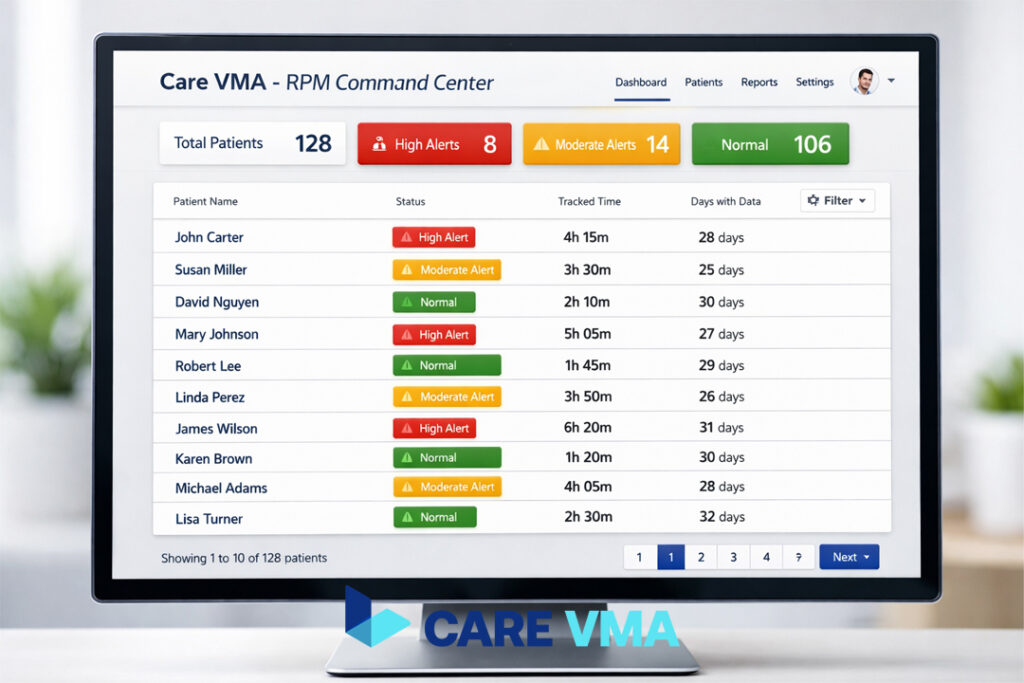
Here is the process from start to finish:
- Step 1: Data Transmission: A patient with hypertension uses their blood pressure cuff. The reading is automatically transmitted to your system.
- Step 2: VMA Triage & Time Logging: The Care VMA dashboard flags the reading. A Virtual Assistant reviews it. Since the reading is within the normal range, the VMA simply notes the review, and the platform automatically logs the 30 seconds of time spent.
- Step 3: VMA Action & Escalation: Another patient’s reading comes in high. The dashboard flags it red. The VMA immediately calls the patient, goes through a standardized clinical protocol to check for symptoms, and documents the conversation. The call and documentation time are automatically logged. Because it’s an urgent alert, the VMA escalates the encounter to an in-house RN or the physician per your practice’s protocol.
- Step 4: Month-End Reporting: At the end of the month, the system generates a report: “Patient X: 18 days of data, 27 minutes of total interaction time. Recommended codes: 99454 + 99457.” Your biller can now confidently submit the claim.
Stop Wasting Staff Hours on Manual Tracking
The core value is clear: a trained and certified Virtual Medical Assistant handles the 90% of RPM work that is administrative and protocol-driven. This frees up your expensive, highly-skilled nurses and MAs to focus on complex clinical escalations and practice at the top of their license. It transforms RPM from a time-consuming cost center into a streamlined, profitable, and clinically impactful care program. The benefits of remote patient monitoring are fully realized when the operational model is efficient.
Ready to Master Your RPM Billing and Reduce Admin Overload?
Your team’s time is too valuable for manual log-checking and compliance guesswork. A Care VMA integrates directly into your practice to automate compliance tracking, optimize code selection, and turn your Remote Patient Monitoring program into a model of efficiency.
If you are tired of losing revenue to cumbersome rules and administrative overload, let’s talk. Schedule a no-obligation consultation to map out your custom RPM workflow and see how a dedicated VMA can make your program more profitable and scalable.
Book a Free RPM Strategy Consultation
Frequently Asked Questions (FAQ)
Can CPT 99457 and 99091 be billed in the same month?
Generally, no. The services described by these two codes are considered overlapping by CMS. You should bill the code that most accurately reflects the service provided during that calendar month.
Does the patient need to have a chronic condition to qualify for RPM?
While RPM is most commonly used for chronic conditions, it is not a strict requirement. The service must be deemed “medically necessary” by the ordering provider. This allows for RPM use in post-operative or other acute care scenarios, which the new 2026 codes are designed to support.
What is “interactive communication” for CPT 99457 and 99470?
This refers to a real-time, synchronous conversation between the clinical staff and the patient or their caregiver. This is typically a phone call or a video visit. Emails and text messages, being asynchronous, do not fulfill this specific requirement on their own, though the time spent on them can count toward the total time.
Can we bill for multiple RPM devices for one patient?
No. CPT 99454 and 99445 are billed once per patient per 30-day period, regardless of how many devices the patient is using. The reimbursement is designed to cover the total cost of the equipment supply for that patient.
What is “general supervision” for RPM services?
General supervision means the ordering physician or QHCP does not need to be in the same room or even the same building as the clinical staff member performing the service. This is what allows practices to effectively use third-party services or a HIPAA-compliant telehealth virtual assistant to manage RPM tasks.