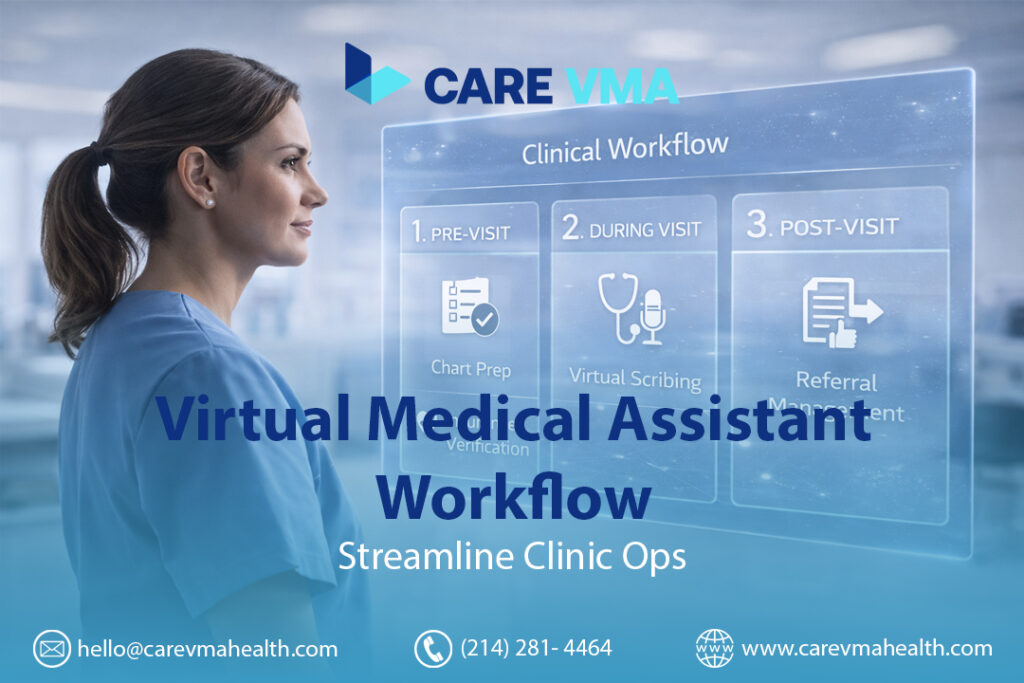
A Virtual Medical Assistant (VMA) workflow is a structured, four-phase system designed to offload administrative and clinical-support tasks from your in-office team. It follows the complete patient lifecycle—from pre-visit preparation and live encounter support to post-visit coordination and ongoing practice management—allowing your providers to focus entirely on patient care while the VMA handles the operational backend.
If your day ends with hours of charting, your front desk is juggling constant calls, and revenue is slowed by pending referrals, you’re not dealing with a staff problem—you have a workflow problem. This guide provides the blueprint to fix it. We’ll show you the exact, step-by-step process our VMAs use to run a clinic efficiently, eliminating administrative drag and giving you back control of your day.
The 4-Phase VMA Workflow: How It Works in a Real Clinic
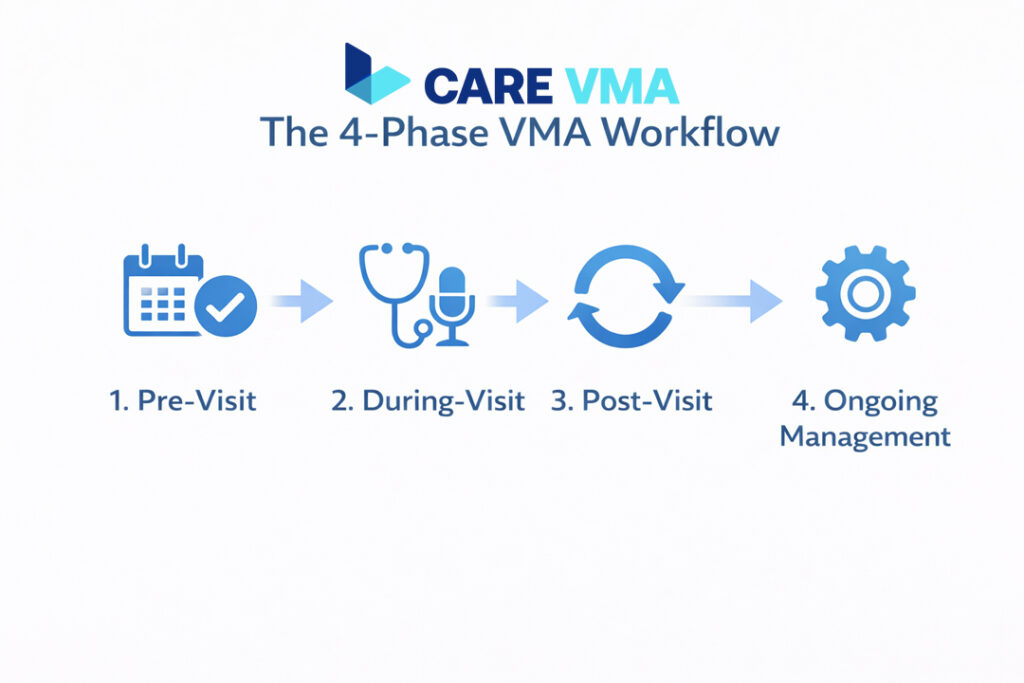
A successful VMA integration isn’t about just delegating tasks; it’s about installing a proactive system that moves in rhythm with the patient journey. This system is broken down into four distinct phases: Pre-Visit Preparation, During-Visit Support, Post-Visit Coordination, and Ongoing Practice Management. Each phase is designed to solve specific bottlenecks that drain your practice’s time and resources.
Phase 1: Pre-Visit Preparation (The “Chart Scrub”)
Goal: Ensure every patient chart is 100% complete before the appointment, so the provider walks into the exam room with zero administrative work left to do. This phase single-handedly eliminates the need for providers to spend valuable encounter time on data retrieval.
Insurance Eligibility & Prior Authorization
A VMA systematically verifies coverage for every patient 24-48 hours before their scheduled appointment. This isn’t just a simple check; it’s a proactive audit of the patient’s financial readiness for the visit. The VMA confirms active coverage, checks copay and deductible status, and initiates any necessary prior authorizations for planned procedures or medications.
- Operational Impact: This simple step catches insurance issues before the patient arrives, preventing last-minute cancellations, front-desk confusion, and future claim denials. It transforms your revenue cycle from reactive to proactive.
Patient Intake & Digital Forms
The VMA acts as a digital concierge, sending and tracking the completion of all necessary pre-visit paperwork. This includes new patient registration, HIPAA consent forms, medical history updates, and specific pre-visit questionnaires (e.g., PHQ-9 for behavioral health).
- Operational Impact: This workflow eliminates waiting room paperwork bottlenecks, reduces patient wait times, and ensures all essential data is neatly filed in the EHR before the encounter begins. Your in-office staff can focus on the patient in front of them, not a clipboard.
Chart Preparation (“The Scrub”)
This is the most critical step in the pre-visit phase and a key differentiator of a high-functioning VMA workflow. The VMA “scrubs” each chart by:
- Reviewing past notes to understand the patient’s history.
- Retrieving and uploading missing lab results, imaging reports, or specialist consult notes.
- Flagging “care gaps,” such as overdue mammograms, A1c tests, or colonoscopies.
- Queueing up any necessary standing orders based on practice protocols.
- Operational Impact: A thorough chart scrub saves the physician 5-10 minutes of searching and data entry per patient. It turns a standard follow-up into a proactive, high-value visit where care gaps can be addressed efficiently.
The Virtual Morning Huddle
Workflow is about communication, not just tasks. The VMA prepares a “Daily Huddle Sheet”—a concise summary of the day’s schedule—and meets virtually with the provider or in-office Medical Assistant for 5-10 minutes. This meeting highlights charts with missing reports, complex cases, or patients with urgent needs.
- Operational Impact: This aligns the entire team, prevents operational surprises, and ensures a smooth, predictable daily patient flow. It’s the operational command center for your clinic day.
Is your team spending hours chasing down referrals and labs? See how our Virtual Medical Assistant services automate the entire chart prep process.
Phase 2: During-Visit Support (The “Virtual Roomer” & Scribe)
Goal: Give the provider “superpowers” inside the exam room by offloading all documentation and order entry in real-time. This allows the provider to focus 100% on the patient, not the keyboard.
Live Virtual Scribing
Through a secure, HIPAA-compliant audio or video connection, a virtual medical scribe documents the entire patient encounter directly into the EHR. They capture the history of present illness (HPI), review of systems (ROS), physical exam findings, and the assessment and plan in a structured SOAP note format as the provider speaks.
- Operational Impact: This completely eliminates after-hours charting, often called “pajama time.” Providers can leave the office with their notes finalized, reducing burnout and improving work-life balance. It also leads to more accurate and detailed documentation, which supports higher coding levels and better patient care.
Real-Time Order Entry
As the provider discusses the plan with the patient—”Let’s get a CBC and a TSH,” “I’m sending a prescription for lisinopril to CVS”—the VMA queues up those orders in the EHR. The orders are “pended” for the provider’s final review and signature.
- Operational Impact: Instead of spending an hour at the end of the day manually entering dozens of orders, the provider can review and sign all pended orders in a single, 5-minute batch. This is a massive efficiency gain.
Telehealth Facilitation (The “Warm Handoff”)
For virtual visits, the VMA functions as a “digital roomer.” They join the telehealth call first to greet the patient, troubleshoot any technical issues, confirm medications, and update the patient’s history. Once the patient is ready, the VMA provides a “warm handoff” to the provider, who can start the visit without delay.
- Operational Impact: This crucial step protects the provider’s valuable time from being wasted on IT support or routine intake tasks, making telehealth sessions as efficient as in-person visits.

Phase 3: Post-Visit Coordination (Closing the Loop)
Goal: Ensure the care plan is executed perfectly after the patient leaves, without adding administrative tasks to the provider’s or in-office team’s plate.
Referral Management & Tracking
If a referral is needed, the VMA manages the entire process. This includes sending the referral request and relevant clinical notes to the specialist’s office, tracking the referral status, and diligently following up until the specialist’s report is received and attached to the patient’s chart.
- Operational Impact: A dedicated referral management workflow prevents patients from falling through the cracks, ensures continuity of care, and closes a significant liability loop for the practice.
Patient Communication & Education
The VMA sends the After Visit Summary (AVS) to the patient portal, along with any provider-approved educational materials. They can also handle non-clinical follow-up questions from patients via the portal or secure messaging.
- Operational Impact: This improves patient compliance and satisfaction by ensuring they have clear, written instructions. It also offloads a significant volume of follow-up calls from your front desk.
Coding and Billing Support
While a VMA is not a certified coder, they provide critical support. The VMA reviews the encounter documentation to ensure it supports the selected CPT and ICD-10 codes, flagging any discrepancies for the provider or biller to review.
- Operational Impact: This quality check reduces compliance risk and prevents claim denials caused by a mismatch between documentation and billing codes.
Is Your Referral Process a Black Hole? A broken referral workflow frustrates patients and delays care. Schedule a free 15-minute consultation to see our automated referral tracking system in action.
Phase 4: Ongoing Practice Management (The “Practice Engine”)
Goal: Handle the critical background tasks that keep the clinic running smoothly between appointments, ensuring nothing is missed.
Prescription Refill Management
VMAs manage the high volume of prescription refill requests according to a strict, provider-approved protocol. The typical workflow is:
- VMA receives a request from the pharmacy or patient portal.
- They verify the request against the EHR to check the last visit date and if any required labs are pending.
- If the protocol is met, they pend the refill for the provider’s signature.
- Once signed, they notify the patient and pharmacy.
- Operational Impact: This system removes a constant source of interruption for providers and clinical staff, allowing them to maintain focus on the patients currently in the clinic.
High-Value Specialized Workflows
Beyond daily tasks, VMAs can run entire service lines that generate revenue and improve clinical outcomes. This is where a VMA becomes a profit center, not just a cost-saver. Key examples include:
- Chronic Care Management (CCM): The VMA can conduct and document the required monthly check-in calls with eligible Medicare patients, logging the time for CCM billing.
- Remote Patient Monitoring (RPM): The VMA monitors daily patient-submitted data (e.g., blood pressure, glucose), flags out-of-range readings for a nurse or provider to review, and documents patient engagement for billing.
- Operational Impact: Integrating a VMA into these programs allows practices to launch and scale profitable preventative care services like Chronic Care Management without hiring dedicated, full-time staff.
The Technology & Security That Makes It Possible
This entire workflow is built on a foundation of secure, HIPAA-compliant data security. A professional VMA service does not use consumer-grade tools; they integrate directly and securely into your practice’s existing tech stack.
Core Technology Stack
| Category | Technology | Purpose |
|---|---|---|
| EHR/EMR Access | Secure VPN or Cloud (e.g., Epic, Athenahealth) | The VMA works directly within your system of record. |
| Communication | HIPAA-compliant messaging (e.g., Slack, Teams) | Real-time, secure chat with the in-office team. |
| Telephony | VoIP Systems (e.g., RingCentral) | Allows the VMA to make calls using the clinic’s caller ID. |
| Task Management | Project tools (e.g., Asana, Trello) | Tracks long-term tasks like complex prior authorizations. |
Unbreakable HIPAA Compliance & Security
Security is not an afterthought; it’s a prerequisite. Key security layers must include:
- Business Associate Agreement (BAA): A legally binding contract that makes the VMA service liable for protecting your patient data.
- Secure Connections: All work is performed over an encrypted Virtual Private Network (VPN), never on public Wi-Fi.
- Role-Based Access Control: VMAs are granted the minimum necessary access within the EHR to perform their defined tasks.
Ready to Implement Your VMA Workflow? Start Here.
Implementing a VMA workflow doesn’t require a complete operational overhaul. A successful launch is about a structured, phased approach that builds momentum.
Step 1: Document Your Standard Operating Procedures (SOPs)
Before delegating any task, it must be documented. Create a simple “Clinic Playbook” that outlines the step-by-step process for tasks like scheduling a new patient or handling a refill request. This ensures consistency and quality.
Step 2: Define Clear Escalation Paths
It’s critical to define when a VMA must stop and escalate a task to a licensed professional. For example: “If a patient mentions ‘chest pain’ on a refill call, the VMA’s SOP is to immediately transfer the call to the on-site nurse and document the action.” This ensures patient safety and clear lines of responsibility.
Step 3: Start with a Pilot Program
Don’t try to delegate everything on day one. Start with 1-2 core workflows that are causing the most administrative pain, such as chart preparation and referral management. Once those systems are running smoothly, you can progressively expand the VMA’s role.
Stop Managing Tasks, Start Managing a System
A Virtual Medical Assistant workflow isn’t just about delegation; it’s about installing an efficient, repeatable operational system in your practice. It decouples administrative work from clinical care, freeing your providers to work at the top of their license. It’s the single most effective strategy to reduce physician burnout, improve the patient experience, and build a more profitable and resilient practice.Tired of the Workflow Chaos? Let’s Build Your Blueprint. Seeing is believing. Schedule a free, no-obligation 15-minute workflow consultation. We will analyze your current administrative bottlenecks and show you exactly how a Care VMA Health assistant would integrate into your specific practice.
Book My Free Workflow Consultation No credit card required. See a live demo of our system.