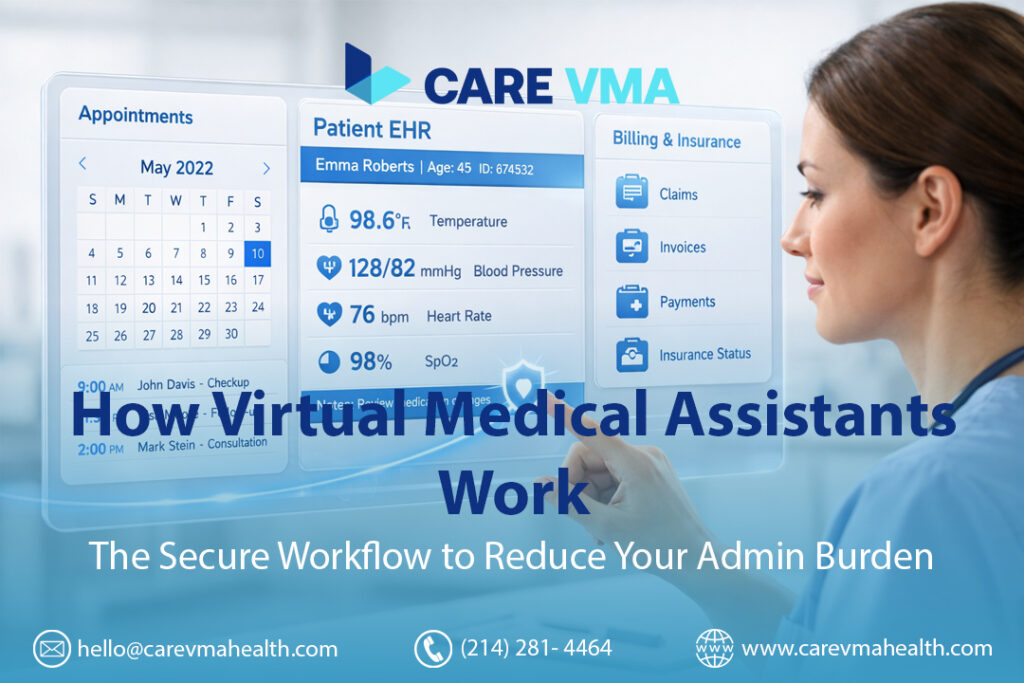
Feeling buried under a mountain of administrative tasks is a familiar story in modern healthcare. The constant ringing of phones, endless EHR data entry, and the complex dance of insurance verifications drain time and energy from what truly matters: patient care. This administrative burnout is not just a nuisance; it’s a critical operational bottleneck that impacts clinic efficiency, staff morale, and the patient experience. What if you could delegate these tasks to a trained professional who integrates seamlessly into your practice, but works remotely?
A Virtual Medical Assistant (VMA) is a remote, HIPAA-trained professional who integrates directly into a medical practice’s daily operations to handle administrative and clinical support tasks. They work by securely connecting to your Electronic Health Record (EHR) and phone systems via an encrypted VPN, allowing them to manage patient scheduling, update records, process billing, and handle patient communications as a seamless extension of your in-house team.
Beyond the Hype: What Does a VMA Actually Do in a Clinic?
The term “virtual assistant” often brings to mind AI chatbots or generic administrative helpers. This is a critical distinction to make. While an AI bot can answer simple, repetitive questions, it lacks the clinical context, adaptability, and empathy required for high-stakes healthcare environments.
A Human-Powered Virtual Medical Assistant, the focus of Care VMA Health, is a trained professional with a background in healthcare. They understand medical terminology, clinic workflows, and the nuances of patient interaction. They aren’t just following a script; they are thinking critically and functioning as a true, integrated team member. This is the solution that actually solves the administrative overload crippling so many practices.
The Foundation: How VMAs Securely Connect to Your Practice
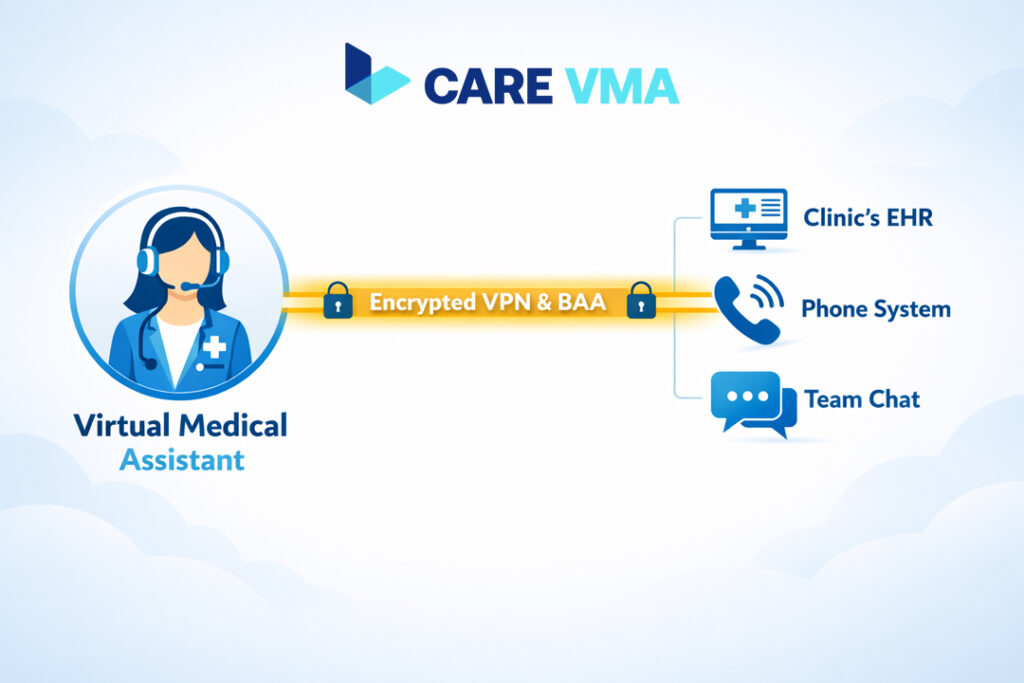
This is where most practice managers hesitate. “But how can a remote person access our sensitive patient data safely?” It’s a valid and crucial question. The entire VMA model is built on a foundation of security and compliance, designed from the ground up to protect patient data and meet HIPAA regulations.
Here’s the operational process for secure integration:
- Step 1: The Business Associate Agreement (BAA): Before any access is granted, a legally binding BAA is signed. This contract is the legal bedrock of HIPAA compliance and data security, ensuring the VMA and their managing organization are obligated to protect Protected Health Information (PHI) to the same standards as your clinic.
- Step 2: The Secure VPN Tunnel: Think of a Virtual Private Network (VPN) as a secure, encrypted digital corridor. Your VMA doesn’t just log in over public internet; they connect through this private tunnel directly to your clinic’s network. All data transmitted is encrypted, making it unreadable to anyone outside the network.
- Step 3: Role-Based EHR Access: You are in complete control of what the VMA can see and do. Just like an in-house receptionist or administrative staff member, you grant the VMA role-based access to your EHR. They only have the permissions necessary to perform their specific duties, such as accessing the scheduler or patient demographic information, but not sensitive clinical notes.
- Step 4: Secure Communication Channels: All communication between your on-site team and the VMA happens on encrypted platforms, like secure messaging apps or VoIP phone systems, ensuring that no patient information is ever discussed over insecure channels.
A Day in the Life: The VMA Operational Workflow in Action
So, what does this look like in the real world? Let’s move beyond theory and walk through an hour-by-hour operational blueprint to see how a VMA transforms a clinic’s daily chaos into a streamlined workflow.
The First 90 Minutes (8:00 AM – 9:30 AM)
While your on-site staff prepares for the first patient arrivals, your VMA has already been working to set the day up for success.
- Schedule & Portal Review: They log in to review the day’s schedule, flagging any potential errors or double-bookings. They process all overnight appointment requests that came in through the patient portal.
- Chart Preparation: For every appointment on the day’s schedule, the VMA prepares the patient’s chart. This includes verifying insurance eligibility, updating patient demographics, and ensuring any required referral documents are attached. This single function eliminates a major source of front-desk delay.
Mid-Morning Patient Rush (9:30 AM – 12:00 PM)
This is typically when the phones start ringing off the hook. Instead of overwhelming your in-person staff, the VMA acts as the first line of communication.
- Inbound Call Management: The VMA answers incoming calls, handling all scheduling requests, general inquiries, and prescription refill requests according to your clinic’s established protocols.
- Intelligent Triage: Only calls requiring immediate clinical input (e.g., a patient reporting severe symptoms) are triaged and transferred to your on-site nurses. Your front desk is free to manage check-ins and check-outs without interruption.
Afternoon Administrative Block (1:00 PM – 4:00 PM)
The afternoon is dedicated to the heavy administrative tasks that often get pushed aside.
- Referral Management: The VMA processes new patient referrals, which includes requesting medical records from other providers and creating new patient shells in the EHR.
- Prior Authorizations: They initiate and follow up on prior authorizations for procedures and medications, a time-consuming task that can otherwise halt patient care.
- Revenue Cycle Support: They may assist the billing department by following up on unpaid claims or correcting simple coding errors.
End-of-Day Wrap-Up (4:00 PM – 5:00 PM)
As the clinic day winds down, the VMA ensures a smooth transition to the next day.
- Appointment Confirmations: They send out appointment reminders for the following day, reducing no-show rates.
- Task Closure: They ensure all administrative tasks from the day are documented, completed, and closed in the EHR, leaving a clean slate for the morning.
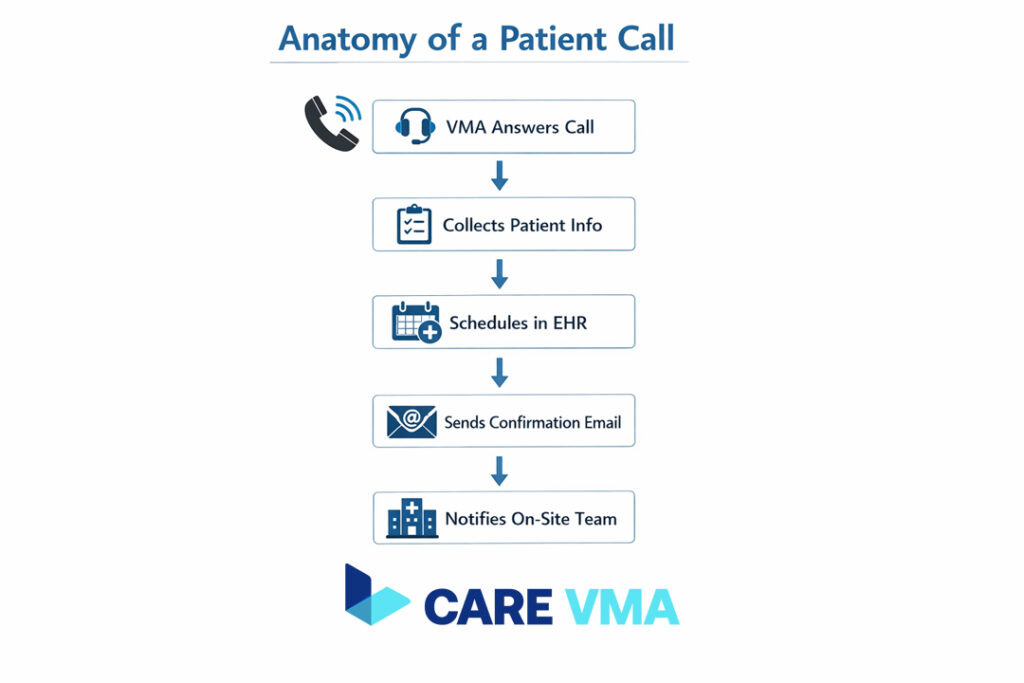
Workflow Example: Anatomy of a New Patient Appointment Request
It sounds simple, but a single new patient call can disrupt front-desk workflow significantly. Here’s how a VMA handles it with precision:
- Answer & Greet: The VMA answers the call through the clinic’s integrated VoIP phone system, using your practice’s official greeting.
- Information Capture: They collect the new patient’s full name, date of birth, contact information, and insurance details.
- EHR Scheduling: Accessing the provider’s template in the EHR, they find an available new patient slot that matches the patient’s availability.
- Confirmation & Forms: The VMA schedules the appointment directly in the EHR and immediately sends a confirmation email containing a link to the digital new patient intake forms.
- Team Notification: They create a task in the EHR to notify the on-site team of the new patient appointment, ensuring everyone is prepared for their arrival.
Imagine your phone lines clear and your schedule filling up without interrupting the patient standing at the front desk. That is the power of an optimized patient scheduling workflow.
The Core VMA Functions That Restore Your Team’s Focus
By structuring VMA tasks around the problems they solve, it becomes clear how they restore focus and efficiency to your practice.
- Administrative Support (Reducing Front-Desk Chaos): This includes all forms of appointment scheduling, insurance verification, referral management, and answering patient calls. A virtual medical receptionist is the key to freeing up your on-site staff.
- Clinical Support (Freeing Up Nurses & MAs): A VMA handles chart prepping, prescription refill requests (sent to the provider for approval), and the time-consuming back-and-forth of prior authorizations.
- Financial Support (Stabilizing Revenue Cycle): With support from a medical billing virtual assistant, your practice can accelerate claims follow-up and reduce administrative denials, stabilizing your revenue cycle.
- Patient Engagement (Improving Patient Experience): By handling appointment reminders, post-visit follow-up calls, and managing non-clinical messages in the patient portal, a VMA ensures patients feel heard and supported throughout their care journey.
The Care VMA Difference: More Than Staffing, It’s an Operational Upgrade
“Why choose a dedicated healthcare VMA service over a general virtual assistant?” The answer lies in expertise and management.
A general VA lacks the training in medical terminology, EHR systems, and HIPAA regulations. This creates a steep learning curve and a compliance risk. Care VMA Health provides an operational upgrade, not just a temp worker.
- Pre-Vetted & Medically Trained: Our VMAs have backgrounds in nursing, medical administration, or other allied health fields. They understand clinical workflows from day one.
- Managed for Compliance & Quality: We don’t just place a VMA and walk away. We handle the security infrastructure, continuous training, and quality oversight so you can focus on running your practice.
- Seamless Onboarding Process: We provide a structured plan to integrate your VMA with your team and technology, ensuring a smooth and productive launch.
Getting Started: How to Integrate a VMA into Your Practice in 3 Steps
Integrating a remote team member may seem daunting, but a structured process makes it seamless.
- Discovery & Workflow Analysis: We start by mapping your current administrative processes to identify the specific bottlenecks where a VMA can provide the most immediate relief and impact.
- Matching & Onboarding: Based on your needs, we match you with a VMA who has been trained for your specialty. We then manage the entire technical and team onboarding process.
- Launch & Optimization: Your VMA goes live, integrated into your team. We provide continuous support and performance monitoring to ensure the workflow is optimized for maximum efficiency.
Frequently Asked Questions (FAQ)
How much time can a Virtual Medical Assistant really save our practice?
Practices that effectively integrate a VMA can reduce the administrative workload by up to 15 hours per week per provider. This translates directly to more time for patients, reduced physician burnout, and a more efficient clinic.
Is it complicated to integrate a VMA with our existing EHR?
No. The process is designed to be simple and secure. Through role-based access, your VMA is given a unique login with limited permissions, just like any other administrative staff member. There is no complex software to install on your end.
What’s the main difference between a dedicated medical VMA and a general VA?
The key differences are training and compliance. A medical VMA from a service like Care VMA is pre-trained in medical terminology, common EHR platforms, and HIPAA regulations. They operate under a BAA, providing a level of security and expertise that a general VA cannot offer.
Ready to Reclaim Your Time and Focus on Patients?
Stop letting administrative tasks dictate the pace of your practice. A Virtual Medical Assistant isn’t just a cost-saving measure; it’s a strategic investment in clinic workflow optimization, provider well-being, and superior patient care. By taking over the high-volume, repetitive tasks, a VMA empowers your on-site team to operate at the top of their licenses and focus on delivering excellent in-person care.
If you are ready to see this workflow in action and learn how a dedicated VMA can be integrated into your practice, we are here to help.